

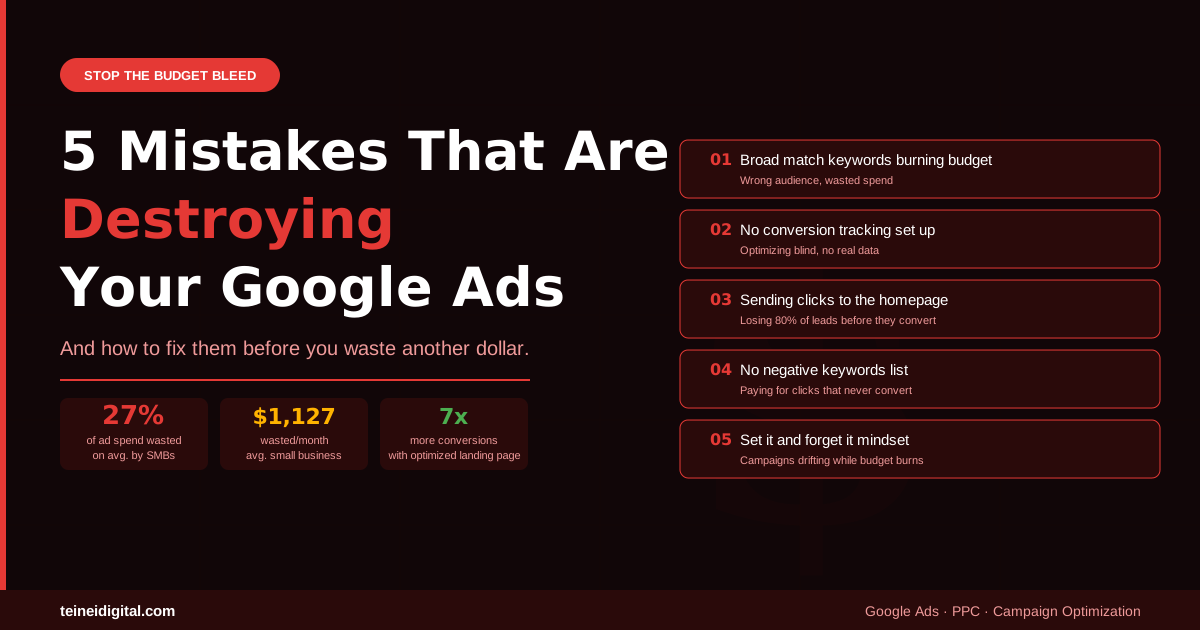
You launched your Google Ads campaign with real optimism. You set a budget, wrote some ads, picked some keywords, and waited for the phone to ring. Instead, you watched the budget disappear — clicks came in, but calls didn’t. Leads were sparse, and the ones that did come in weren’t the right fit.
Sound familiar? You’re not alone. Small business ad accounts waste an average of $1,127 per month on clicks that never convert. Between 25% and 40% of budget goes up in smoke due to wrong targeting, overly broad keywords, and unoptimized landing pages. Ivemind
The good news: Google Ads isn’t broken for your business. These mistakes are. And every single one of them is fixable — often within a single afternoon.
Here are the five most common and most expensive mistakes we see in Google Ads accounts, along with exactly how to fix each one.
Mistake #1: Using Broad Match Keywords Without Guardrails
This is the single most expensive mistake in Google Ads, and it’s made by the majority of small business advertisers who set up their own campaigns.
Broad targeting means running Google Ads with generic, wide-reaching keywords and minimal audience filters. While it seems logical to reach more people, this approach wastes budget on clicks from users who will never become customers. Ads by Alam
Here’s what this looks like in practice. A local plumber in Dallas adds the keyword “plumbing” in broad match. Google now shows that ad for searches like “plumbing school near me,” “DIY plumbing fix,” “plumbing supply wholesale,” and “plumbing jobs hiring.” Every one of those clicks costs money. None of them was ever going to call a plumber.
The fix is straightforward. Replace your broad match keywords with a combination of phrase match and exact match terms built around purchase intent. Instead of “plumbing,” use “emergency plumber Dallas,” “plumber near me,” and “drain repair Dallas TX.” These are the searches from people who actually need a plumber right now.
Additionally, add negative keywords to block the irrelevant searches entirely. Create a shared negative keyword list in your account library and add terms like “jobs,” “career,” “DIY,” “Amazon,” and “free.” This one step can instantly improve your lead quality by 40%. 20minutemarketing
Mistake #2: No Conversion Tracking
You cannot optimize what you don’t measure. And yet over half of small business Google Ads accounts have no conversion tracking set up correctly — or worse, have it set up in a way that’s tracking the wrong things.
Without conversion tracking, there is no reliable basis for determining which keywords, ad variations, or audience segments are generating business outcomes rather than simply generating traffic. Clicks become the primary metric by default — a proxy for performance that frequently obscures where budget is being wasted. Brand Vision
This matters even more in 2026 because Google’s AI-powered bidding strategies — Smart Bidding, Performance Max, AI Max — learn entirely from your conversion data. If you’re not tracking conversions, the algorithm has no signal to optimize toward. It’s flying blind with your money.
The fix requires setting up conversion tracking for every action that represents a real business outcome: phone calls from the ad, phone calls from the website, form submissions, and appointment bookings. Each of these should be a tracked conversion in your Google Ads account. Make sure form submissions fire once and only once, and that phone calls are being counted correctly through Google’s call forwarding number.
Once you have clean conversion data flowing, Smart Bidding can actually work the way Google intended — finding more of the customers who convert, not just the customers who click.
Mistake #3: Sending All Traffic to Your Homepage
Your homepage is designed to tell people everything about your business. Your landing page is designed to do one thing: convert a specific visitor with a specific need into a call or a form submission. These are completely different jobs, and confusing them is one of the fastest ways to destroy your conversion rate.
Many business owners spend time creating ads but send visitors to a weak homepage or a page that does not match the ad message. This disconnect is a major reason PPC campaigns underperform. A landing page should support the promise made in the ad — if your ad promotes a free estimate, discount, or specific service, the landing page should continue that message clearly. Iconier
Think about the experience from your customer’s perspective. They searched “HVAC repair Austin,” clicked your ad that said “Fast AC Repair — Same Day Service,” and landed on a homepage with your company history, a carousel of images, links to 12 different services, and a phone number buried at the bottom. The message broke. They hit the back button.
A dedicated, optimized landing page reduces cost per click by 36%, improves clicks by 87%, and multiplies conversions up to 7 times compared to a generic homepage. Ivemind
The fix is to create a dedicated landing page for each major service and campaign. Each page should have one headline that matches the ad, a clear and immediate call to action, your phone number prominently displayed, a few trust signals like reviews and years in business, and nothing else to distract from the conversion. Keep it focused. One page, one goal, one action.
Mistake #4: No Negative Keyword List
Negative keywords are the feature most advertisers know about and almost none use aggressively enough. A negative keyword tells Google: “Do not show my ad when someone searches for this.” Without them, your budget leaks into irrelevant searches constantly.
Google’s default location setting shows your ads to people “in, or who show interest in, your targeted locations.” This means someone searching for your service from outside your area can see your ad. Switching to “Presence: People in or regularly in your targeted locations” ensures you aren’t paying for clicks from people outside your service area. 20minutemarketing
Beyond location settings, your negative keyword list should block every category of search that will never convert for your business. The most common categories to add as negatives include: informational searches (“how to,” “what is,” “DIY,” “tutorial”), job seekers (“jobs,” “career,” “hiring,” “salary”), people looking for free options (“free,” “cheap,” “discount”), competitors’ brand names when appropriate, and product categories you don’t offer.
In 2026, if your budget is tight, your campaign should prioritize exact-match and tightly controlled phrase-match keywords tied directly to revenue. Review your search term report weekly. Remove irrelevant phrases quickly. One bad keyword can consume a significant portion of a $1,500 or $2,000 monthly budget. Whistler Billboards
The fix is to open your Search Terms report in Google Ads every week, scan for irrelevant searches that triggered your ads, and add them as negatives immediately. This weekly habit alone can dramatically improve campaign efficiency within the first month.
Mistake #5: The “Set It and Forget It” Mindset
Google Ads is not a vending machine. You don’t put money in once, select your options, and collect leads indefinitely without touching it. It’s a living system that requires regular management, review, and adjustment to maintain performance.
Without consistent monitoring, campaigns drift off course — clicks from irrelevant traffic pile up, costing more money. Competitors introduce new ads or increase their budgets. Market conditions shift and user behavior changes. Optimization is the engine that keeps a campaign efficient. Ignoring it is one of the fastest ways to waste money. Quaid Technologies
In 2026, this problem is compounded by Google’s AI features. Performance Max, AI Max, and Smart Bidding all learn from data — but they learn from whatever data you give them. If you let a campaign run without reviewing the signals it’s optimizing toward, the algorithm gets trained on the wrong goals and those goals become harder to correct over time.
The small businesses growing in 2026 treat automation as an amplifier, not a crutch: weekly channel checks catch budget leaks, AI-generated creatives get brand review, and refined conversion signals teach algorithms which leads pay the bills. Hop Skip Media
The fix is building a simple weekly review routine. Check where your budget is going across channels. Review which keywords are generating conversions and which are just generating clicks. Add new negative keywords from your search term report. Check your landing page load speed on mobile. Review your ad copy performance and pause variations that underperform. This doesn’t need to take more than 30 minutes per week — but doing it consistently is the difference between a campaign that grows and one that quietly bleeds.
The Bigger Picture: Why These Mistakes Are So Common
These five mistakes are not rare or unusual. They’re the default state of most Google Ads accounts set up without professional guidance, and they’re especially common when business owners use Google’s own setup wizard, which is designed to maximize Google’s revenue — not yours.
Most business owners think they’re investing in Google Ads when they’re actually just spending — throwing money at a platform without the strategic framework that makes it work. The difference comes down to three critical areas: who sees your ads, what your ads say, and where people land after clicking. Clicks Geek
Getting all three right simultaneously is what separates campaigns that generate consistent, profitable leads from campaigns that burn budget and produce frustration.
A Simple Audit You Can Do Right Now
Before spending another dollar on Google Ads, answer these five questions honestly.
Do you know which specific keywords are generating phone calls and form submissions, not just clicks? Are you sending traffic to dedicated landing pages or directly to your homepage? Do you have at least 50 negative keywords in your campaign? Have you reviewed your Search Terms report in the last 7 days? Is your location targeting set to “Presence” rather than “Presence or Interest”?
If you answered no to any of these, you have found your budget leak. Fix these first before increasing your ad spend. More budget flowing into a broken system doesn’t generate more leads — it generates more waste faster.
Conclusion: The Best Ad Budget Is a Well-Managed One
The businesses generating the best ROI from Google Ads in Texas aren’t the ones with the biggest budgets. They’re the ones with the most disciplined campaigns. Every dollar they spend is working because they’ve systematically eliminated the leaks — the broad keywords, the irrelevant clicks, the homepage sends, the tracking gaps.
Once those leaks are plugged, the math of Google Ads changes completely. Instead of wondering where your budget went, you know exactly what each lead cost and what each customer is worth. That’s when Google Ads stops being an expense and starts being a growth engine.
Want to know exactly where your current campaigns are leaking budget? At Teinei Digital, our free PPC audit identifies every waste point in your account and gives you a prioritized list of fixes to implement immediately.
Claim your free Google Ads audit →
Questions about Google Ads optimization? Leave a comment or contact us directly.
Related posts: How Much Does Google Ads Cost in 2026? · Google Ads with AI in 2026 · Google Ads vs. Facebook Ads